
AI Powered Financial Forecast Platform
Forecast a company's financial future and analyze projections across publicly listed markets


How it works
From your company's details to a business plan
One workspace, from setup to business plan. Every screen below is the real product, shown with Nestlé's data.
01Forecast Setup
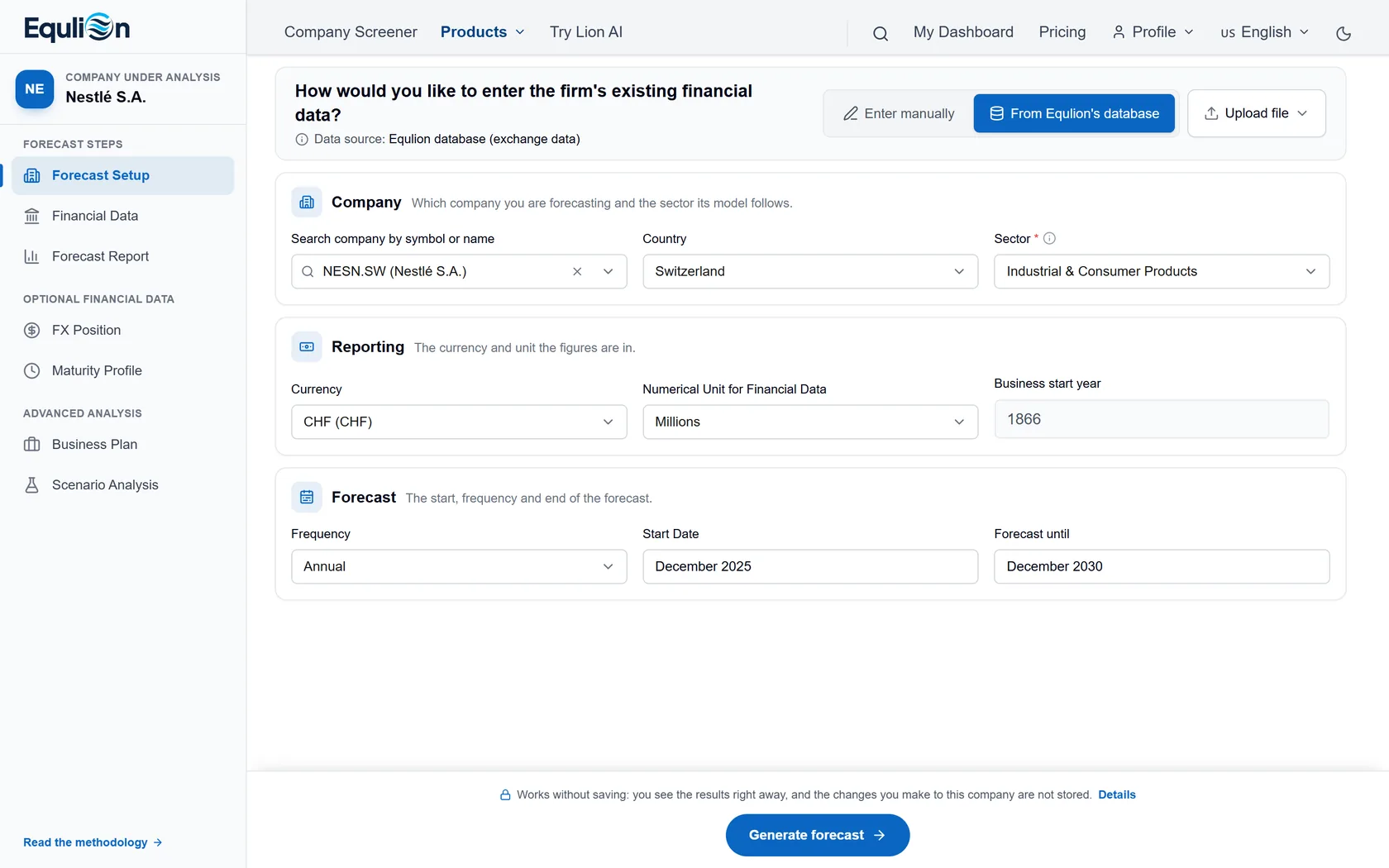
Start with your company
Add your company's name, country, sector and currency, and choose the forecast period. Enter the figures yourself, upload a file, or start from a listed company in Equlion's database.
Start your forecast02Financial Data
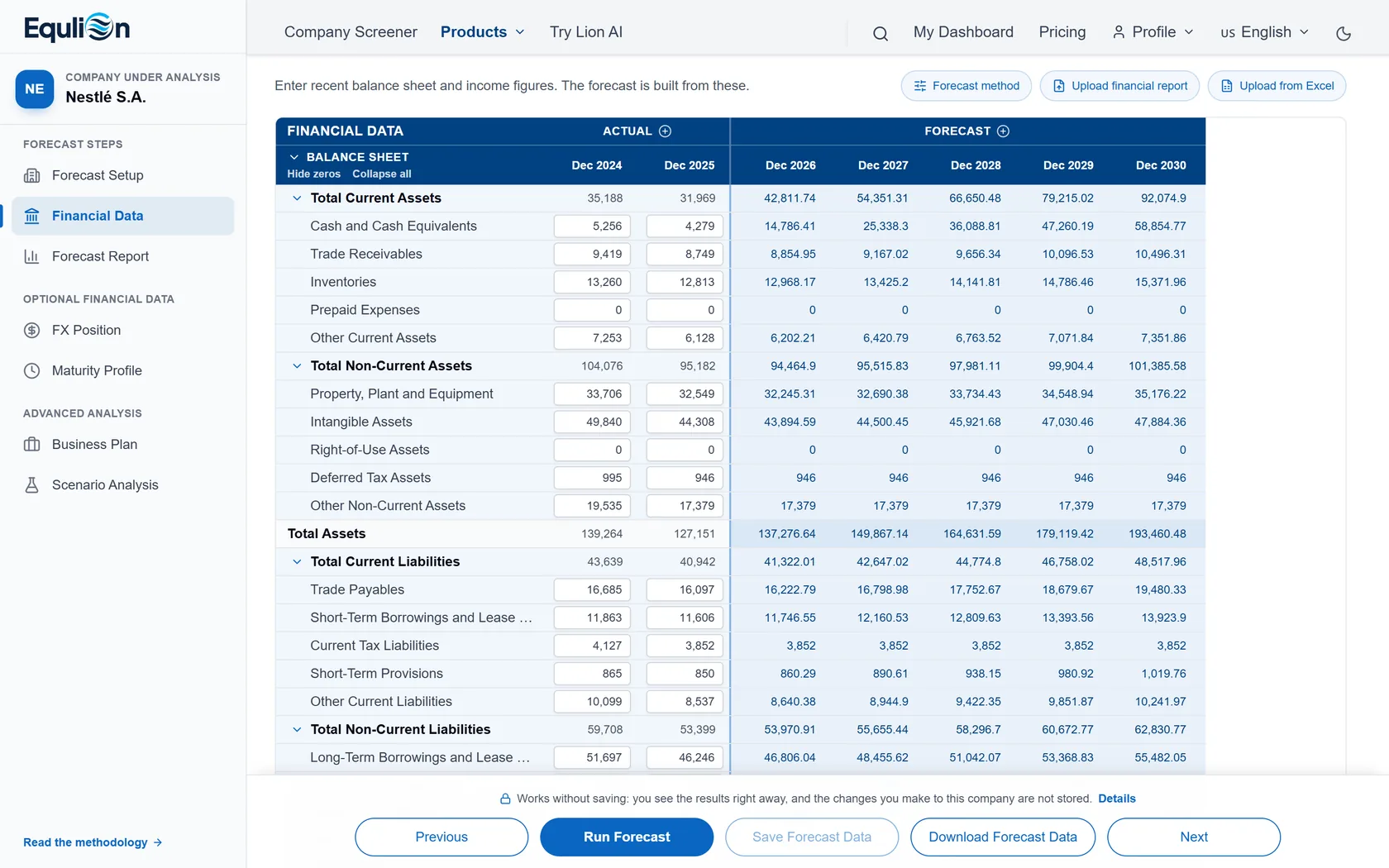
Add your financial statements
Type in two years of balance sheet and income statement figures, or upload them from Excel or a PDF report. The forecast appears right next to them.
Enter your figures03Forecast Report
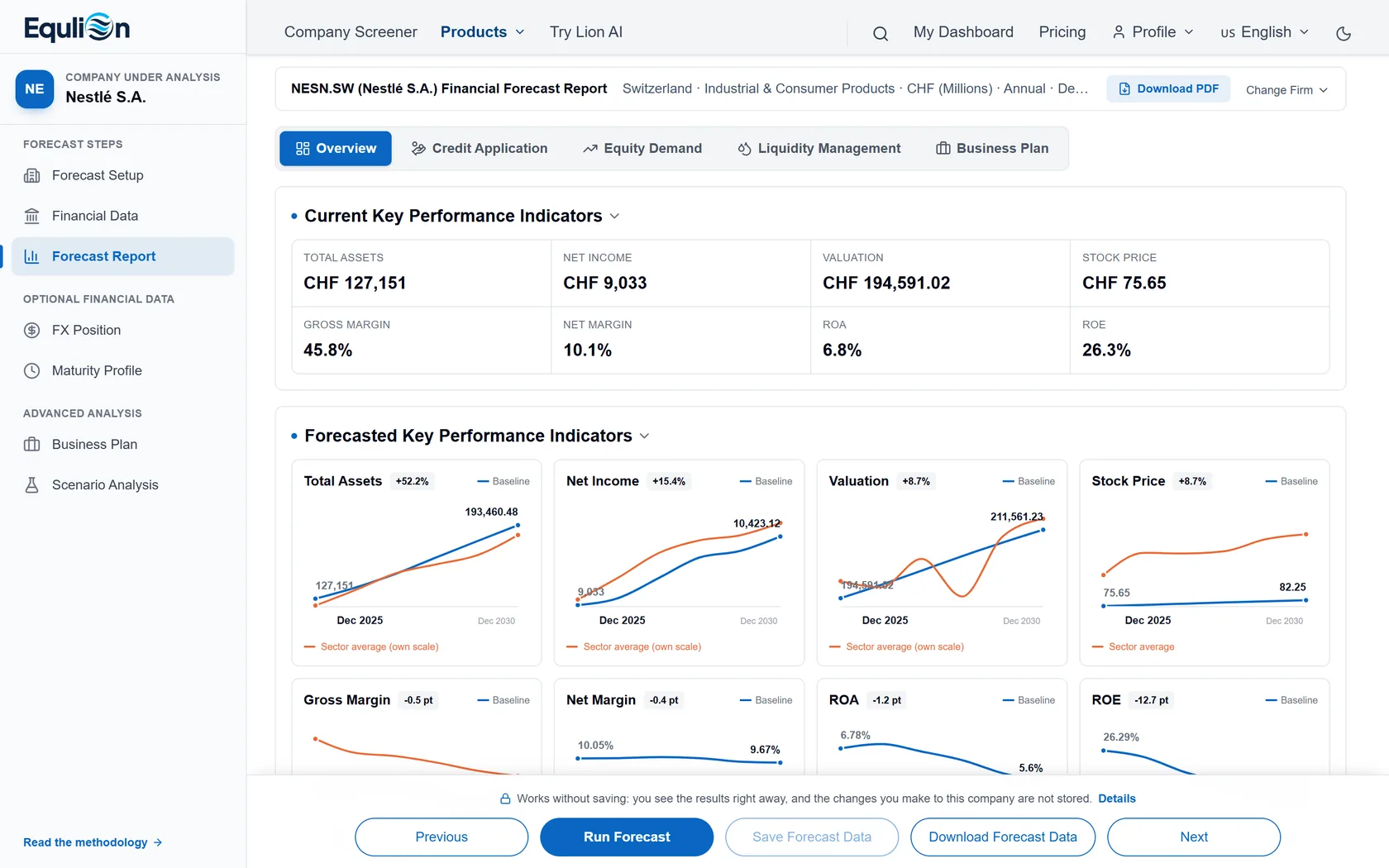
Read the full forecast report
Key figures, charts and the forecast balance sheet, income statement and cash flow, linked so they always agree. Download it as a PDF, or the data as Excel.
See Nestlé's report04Optional Financial Data
Add more detail when you have it
Two optional inputs make the forecast sharper. Skip them and the Equlion model forecasts without them.
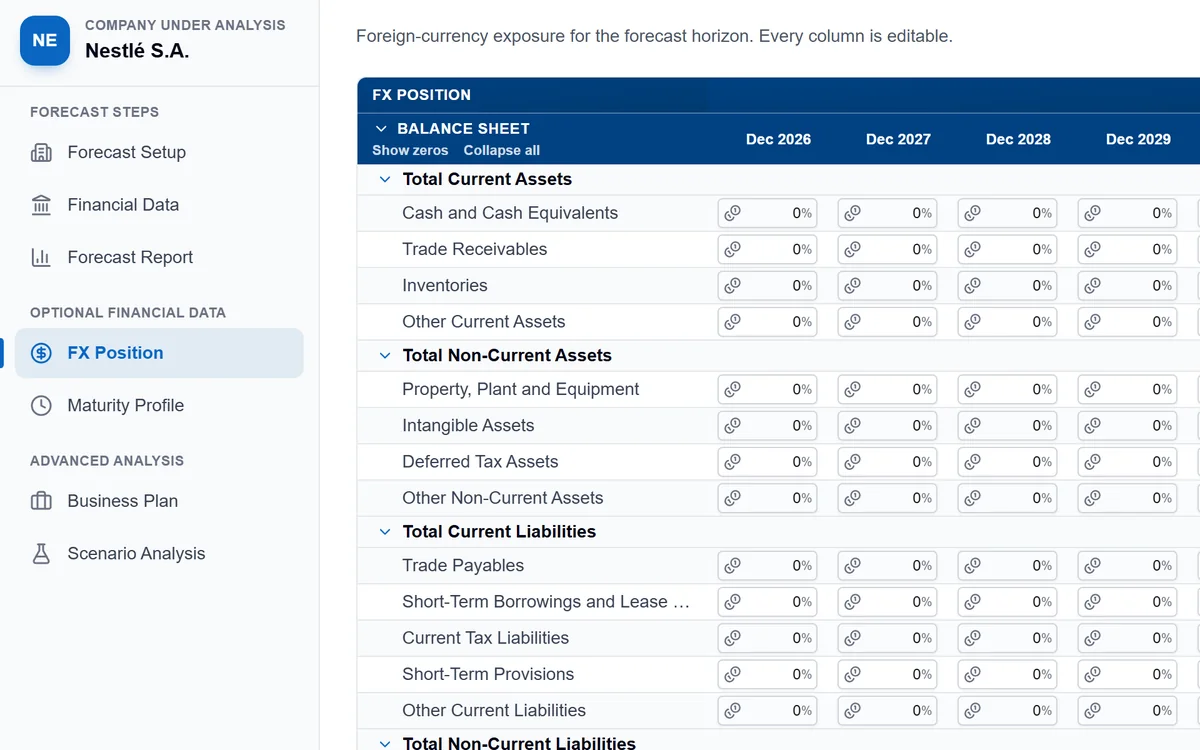
FX Position
Enter how much of each line is in foreign currency, and in which currencies. Exchange-rate moves then show in your forecast.
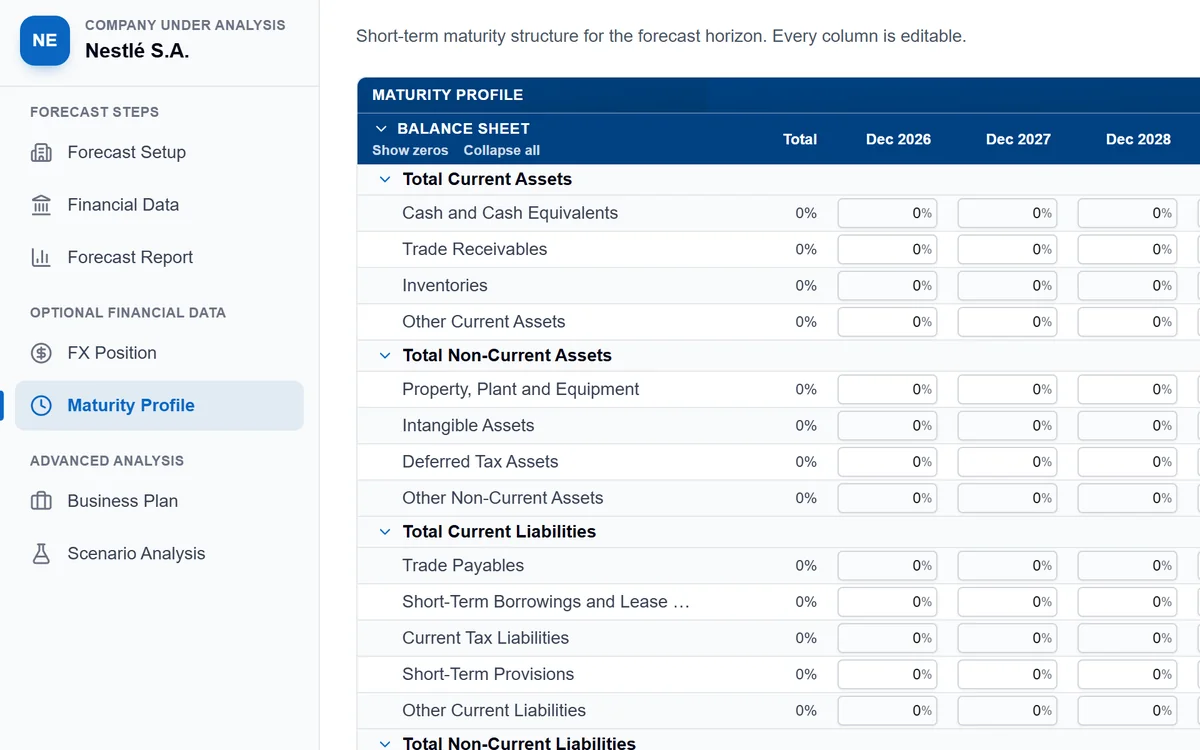
Maturity Profile
Enter when your debts and other balances fall due, year by year. Repayments and cash needs then land in the right years.
05Scenario Analysis
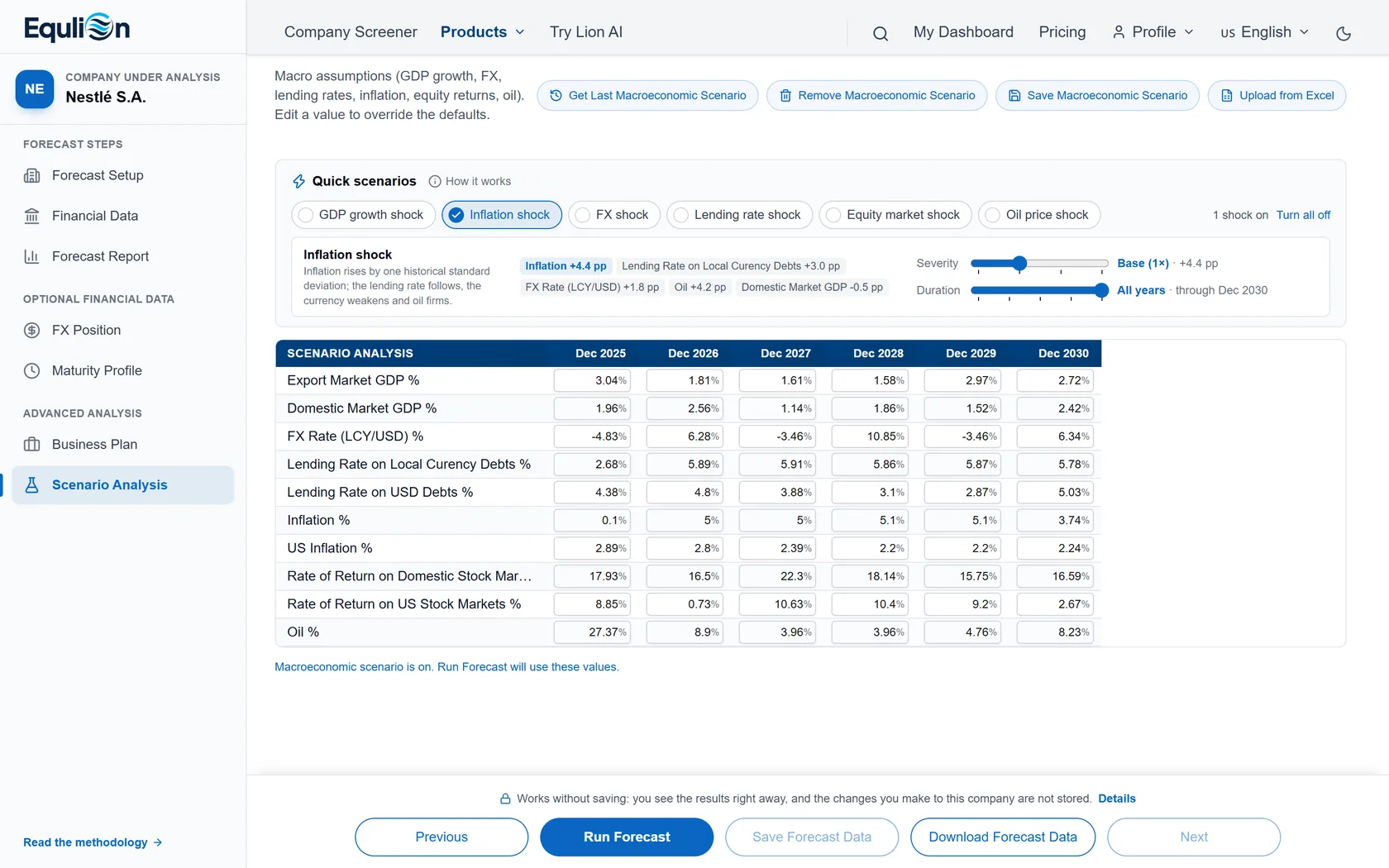
Test the forecast against economic shocks
Switch on an inflation, interest-rate, FX, GDP, equity or oil shock and choose how hard and how long it hits. The report shows the result next to your baseline.
Build a scenario06Business Plan
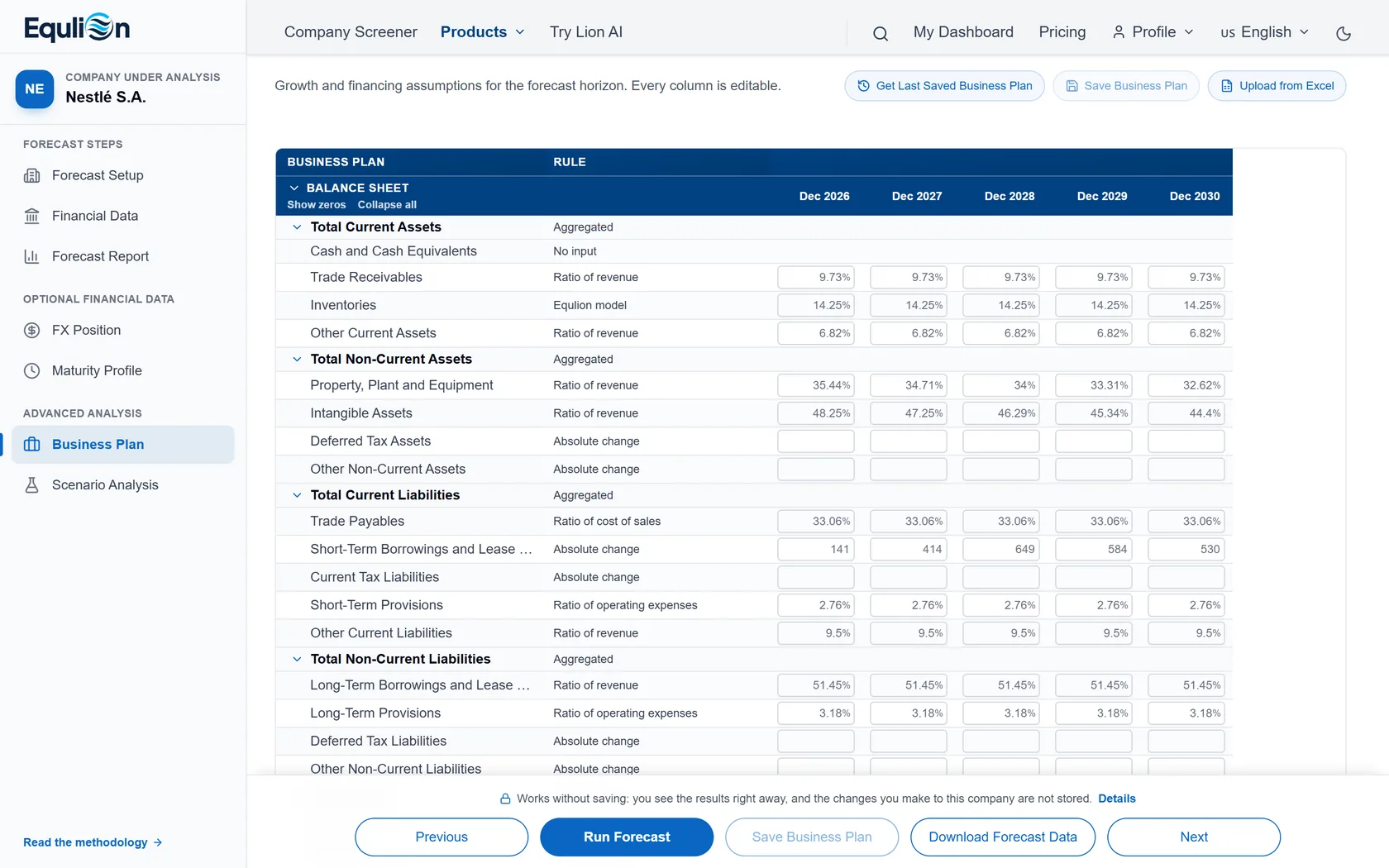
Turn the forecast into your plan
Set your growth and financing assumptions line by line, as a share of revenue, a fixed change or the Equlion model's rule. Run the forecast again to see the plan in your statements.
Build your business plan
Why Equlion
One engine for private and listed companies
Your own company and listed companies are forecast by the same model, so the results compare.
Macro scenarios in the statements
A shock shows in the balance sheet, income statement and cash flow, not in a separate calculation.
Three linked statements, IFRS-structured
The forecast balance sheet, income statement and cash flow agree with each other.
Risk inputs are part of the forecast
FX position and maturity profile change the result, and the funding need is shown openly.
Company research tools mostly cover listed companies only, and planning tools rarely wire macro scenarios into the statements. Equlion does both in one analysis.